

Aim from a low-profile mount
Adjust the turret mechanically during installation to place the threshold where you want it in the fixed frame.

Full HD coax turret for a compact overhead install
Put a compact Full HD turret above a doorway or covered path. Aim its fixed lens at the approach and use a compatible BNC coax connection.
Keep your coax cabling
BNC video and separate 12V DC power. See compatible YVRs and video modes.
AT A GLANCE
Choose the Y71 when a low-profile overhead position suits the site and your recorder already accepts a compatible 1080p analog signal. The 90.5° view suits a defined threshold or passage.
Use a compatible TVI, AHD or CVI channel for 1080p at up to 30 fps.
The fixed 2.8 mm lens covers 90.5° horizontally. Set the camera position to frame the area you need.
Infrared is rated up to 98 ft (30 m). Aim away from close reflective surfaces.
Run BNC coax to the DVR and use a separate 12 V DC adapter with a 2.1 × 5.5 mm plug at the camera.
Use a protected cable entry with the IP68-rated housing.
Match the BNC input to the camera’s output format and resolution.
The ACTi Y71 is a 2 MP outdoor analog turret with a fixed 2.8 mm lens and a 90.5° horizontal view. Choose it for an entry, porch or similar position where you can aim a compact turret and connect it to a compatible coax DVR.
Full HD analog video at up to 30 fps helps you review activity on a recorder that supports the selected HD format. The 130 dB wide dynamic range helps around doors with bright backgrounds, and infrared illuminates up to 30 m (98 ft).
Connect BNC coax to a DVR that supports TVI, AHD, CVI or CVBS. Provide 12 V DC separately through the 2.1 × 5.5 mm power jack. Protect both connections where cables enter the mounting surface.
This offer is for one ACTi Y71 camera with its integrated 2.8 mm lens. The 12 V DC power adapter, coaxial cable and recorder are separate purchases.
Use a compatible DVR and its storage to record and play back this camera’s video.
Your 2-Year ClearVero™ Product Warranty covers eligible defects in materials or workmanship during normal use. Email info@clearvero.com with your order number, model and serial number. ClearVero handles your claim and coordinates service.
Email info@clearvero.com within 30 days of delivery for return authorization. Keep the item complete and in resalable condition with its original packaging and accessories.
ClearVero covers approved return shipping for verified damaged, defective, incomplete or incorrect orders. For a change of mind, use tracked shipping at your expense.
Eligible U.S. orders ship free by standard shipping. Allow 1–3 business days for processing, then up to 7 business days for estimated delivery.
ACTi PMAX-0365 Wall Mount with Built-in Junction Box. Sold separately. Use the compatible wall-mount arrangement when the camera needs to face down from a vertical wall.
ACTi PMAX-0727 Junction Box. Sold separately. Use it with the supported hard-ceiling surface setup when connections need room.
ACTi PMAX-0538 pole mount. Sold separately. For a 2.64–5-inch vertical pole, use one PMAX-0538 with one separately sold PMAX-0365. Protect the connections outdoors.
WHY THIS CAMERA
A compact turret makes sense when you can mount beneath a rigid soffit or canopy. Set the 90.5° fixed view to include the threshold and the direction people approach from.
Adjust the turret mechanically during installation to place the threshold where you want it in the fixed frame.
A compatible TVI, AHD or CVI input can record up to 1080p at 30 fps. Use a separate 12 V DC supply for the camera.
The 130 dB wide dynamic range helps around backlit openings. Infrared is rated up to 98 ft (30 m) after dark.
OUTDOOR APPLICATIONS
Use these examples to check the angle, cable route and recorder channel for your site.

ENTRANCES
Place the turret where you can see the threshold without losing the approach under the canopy.
Installation concept illustration.

OUTDOOR WALLS
Aim the lens past the fascia and check nighttime playback for reflections from nearby trim.
Installation concept illustration.

WIRED SYSTEMS
Check the available 1080p DVR channel, the condition of the coax and the separate 12 V supply before replacing the camera.
Installation concept illustration.
COAX, POWER AND RECORDING
Run BNC coax to the DVR and use a separate 12 V DC adapter with a 2.1 × 5.5 mm plug at the camera. Set the camera and DVR to a compatible video mode.
Use an available analog BNC channel that accepts 1080p in TVI, AHD or CVI. On a hybrid DVR, select hybrid mode. Use CVBS if your recorder requires standard definition.
IR illumination is rated up to 30 m (about 98 ft). Aim to limit reflections from nearby surfaces.
Set TVI, AHD, CVI or CVBS to match the recorder. Test live view and playback with the same mode before closing up the cable path.
Set the fixed 90.5° view at installation. Review light, motion and the areas you want to capture before securing the mount.
Reference DORI distances (detection, observation, recognition and identification) are 136 / 55 / 27 / 13 ft. Actual detail depends on lighting and placement.
INSTALLATION GUIDANCE
Use a rigid ceiling and decide whether to pass the cable through the surface or out the base. Check that the chosen route leaves room for both connectors.
For direct mounting on a solid ceiling, pass the cable through the ceiling or through the channel in the base for a surface run. Confirm the view and cable entry before drilling.
A suitable 12V DC adapter with a 2.1 × 5.5 mm plug. The rated camera draw is 2.88 W via 12V DC.
Use the optional PMAX-0727 if you need space to enclose the connections. Protect the BNC and separate DC plug outdoors. Test video and playback before closing the junction.
Test the exact video mode in live view and save a short clip. Check playback before closing the cable route.
PUT IT TO WORK
Choose the Y71 for a compact overhead 1080p position on a coax system. Check the viewing angle and the cable space before selecting a mount.
Reuse sound BNC coax if the free DVR channel supports the selected signal and resolution. Check the separate 12 V supply.
Count compatible BNC channels in hybrid mode, then choose the drive capacity for your retention target. The recorder and drive are sold separately.
Available mounting options include PMAX-0365 wall mount with built-in junction box, PMAX-0727 junction box. For a 2.64–5 in. vertical pole, use the PMAX-0538 with the PMAX-0365. See the Add-ons section for the separately sold parts.
INSTALLATION DETAIL
Camera body: 118 mm diameter × 96 mm high (4.65 × 3.78 in.). Allow extra clearance for the selected mount, connector and cable bends.
Check the mounting surface and cable entry with your chosen hardware before drilling.
TECHNICAL SPECIFICATIONS
Check the exact lens, video mode, power and mounting dimensions for your installation.
THIS CAMERA OFFER
Your order includes the camera and the items listed here.
One ACTi Y71 camera with integrated fixed 2.8 mm lens.
COMPLETE YOUR SETUP
Choose the separately sold parts for your cable route, mounting surface and recording plan.
A suitable 12V DC adapter with a 2.1 × 5.5 mm plug. Use suitable BNC coax cabling and protect the camera connection. Sold separately.
Choose a compatible analog DVR for recording and playback.
Recorder and drive sold separately.
Use this wall arm when the turret needs to sit off a vertical surface with enclosed connection space. Sold separately.
Use this junction box to enclose the BNC and power connections at the turret base. Sold separately.
For a 2.64–5 in. vertical pole, pair this mount with the PMAX-0365 wall mount, also sold separately. Sold separately.
BUYER FAQ
Quick answers on fit, setup and buying from ClearVero.
One ACTi Y71 camera with fixed 2.8 mm lens. BNC cable, 12 V power supply, DVR, hard drive and optional mounts are sold separately.
The 2.8 mm lens provides a fixed 90.5° horizontal view. Set the aim at installation.
Use a separate 12 V DC power adapter with a 2.1 × 5.5 mm plug. The adapter is sold separately.
Use a DVR with a 1080p TVI, AHD or CVI input. Select hybrid mode on a hybrid DVR.
Each recorder takes a compatible SATA drive, sold separately.
Run BNC coax to a compatible DVR input and supply 12 V DC separately.
Use BNC coax for video. Run separate 12 V DC power to the camera.
Use direct ceiling mounting or the PMAX-0727 junction box. Choose the PMAX-0365 for a wall or pair it with the PMAX-0538 for a 2.64–5 in. pole. Add-ons sold separately.
Infrared is rated up to 98 ft (30 m).
The reference identification distance is about 13 ft. Lighting and camera angle affect usable detail.
Yes. The housing is IP68 rated. Protect the connectors and cable entry.
The 2-Year ClearVero™ Product Warranty covers eligible defects in materials or workmanship during normal use. ClearVero handles claims directly at info@clearvero.com.
The optional mounts shown here include a 1-Year ClearVero™ Product Warranty. ClearVero handles support for separately purchased equipment.
Email info@clearvero.com within 30 days of delivery for return authorization. Keep the item complete and in resalable condition with its original packaging and accessories.
ClearVero covers approved return shipping for verified damaged, defective, incomplete or incorrect orders. For a change of mind, use tracked shipping at your expense.
Eligible U.S. orders ship free by standard shipping. Allow 1–3 business days for processing, then up to 7 business days for estimated delivery.
Recording and storage
For Y71, use an analog BNC input in hybrid mode. Match the exact video signal and resolution the DVR accepts. Supply camera power separately.
| Your setup | ACTi YVR-120 | ACTi YVR-121 |
|---|---|---|
| Hybrid mode | 4 analog + 2 IP | 8 analog + 4 IP |
| IP-only mode | Up to 6 IP | Up to 8 IP |
| Recording bandwidth | 16 Mbps total | 32 Mbps total |
| Local storage | One SATA bay, drive sold separately | One SATA bay, drive sold separately |
| Recorder only | $344.00 USD | $435.00 USD |
Check the recorder’s supported inputs, storage and playback before planning a new installation. A compatible system you already own may be enough.
Camera only is the default. Choose one recorder, then add a drive if needed. Both recorders require separate camera power; no PoE ports.
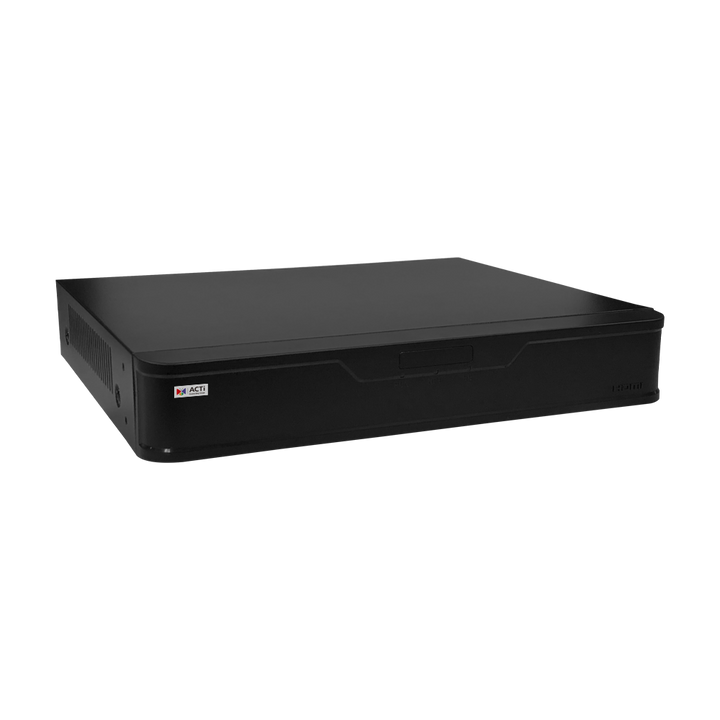
Record camera video locally and review it on an HDMI or VGA monitor. Install a compatible SATA drive in the recorder. Connect the camera to an analog BNC input and supply 12V DC power separately.
Sold separately. Suggested quantity: one per installation.
Available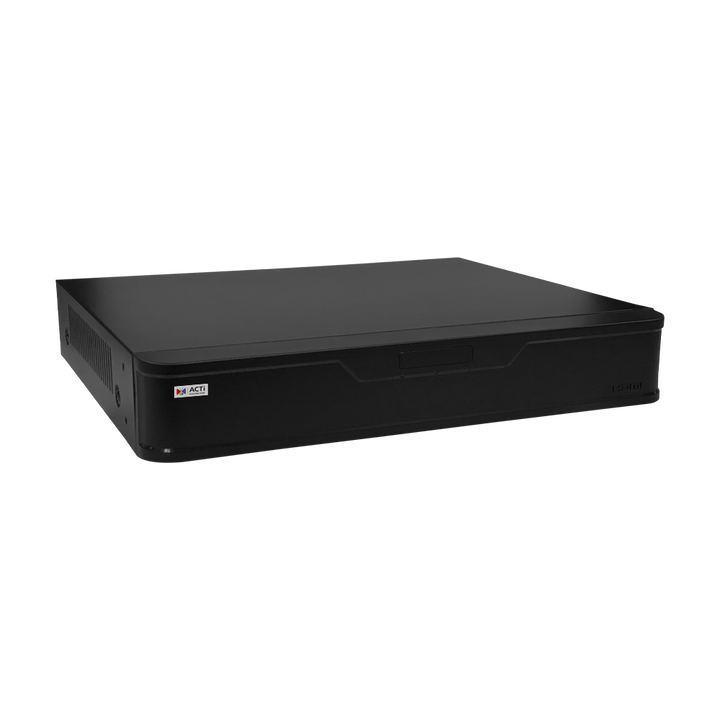
Record camera video locally and review it on an HDMI or VGA monitor. Install a compatible SATA drive in the recorder. Connect the camera to an analog BNC input and supply 12V DC power separately.
Sold separately. Suggested quantity: one per installation.
Available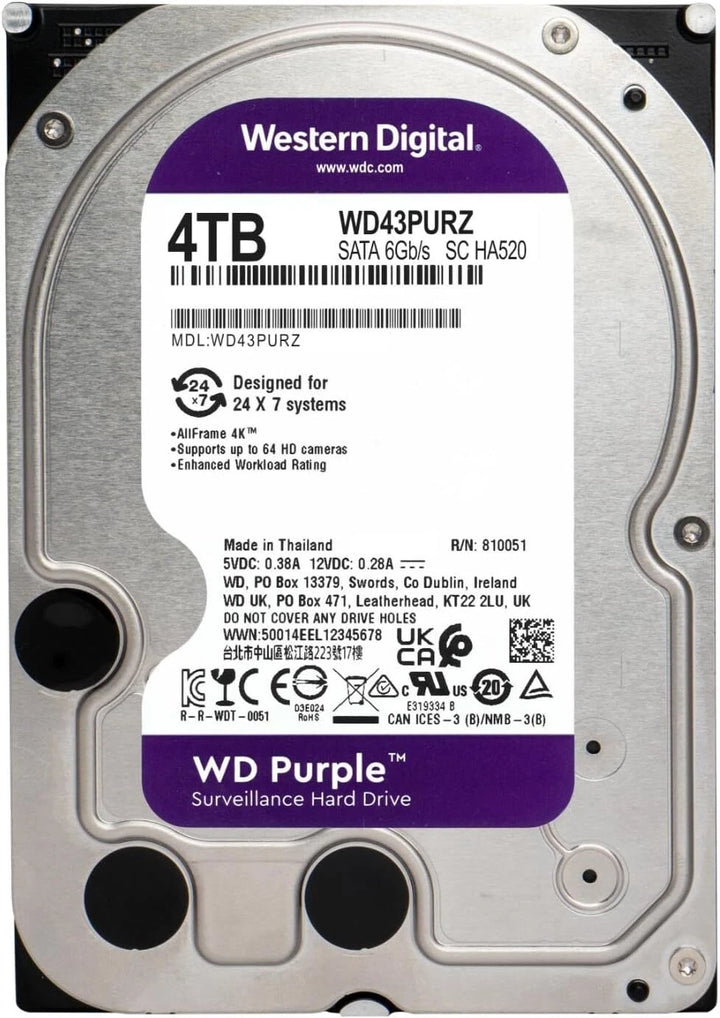
Add 4TB of local storage to the YVR-120 or YVR-121. Install this 3.5-inch SATA drive in the recorder’s single drive bay before recording.
Sold separately. Suggested quantity: one per installation.
AvailableUse either Add to Cart button to add the camera and selected options.
INSTALLATION OPTIONS
Start with the mounting surface and cable exit. Each add-on is sold separately.

Optional installation accessory
$175.00 USD
Position the camera on a wall-mounted arm with room for cable connections.
Use one ACTi PMAX-0365 per compatible ACTi Y71 in the mounting setup described here. Confirm the cable entry and suitable fasteners for your surface.
Use the compatible wall-mount arrangement when the camera needs to face down from a vertical wall.
Already covered if: Direct mounting already provides the view and a suitable cable path.
Includes a 1-Year ClearVero™ Product Warranty with this camera purchase.
Available
Optional installation accessory
$103.00 USD
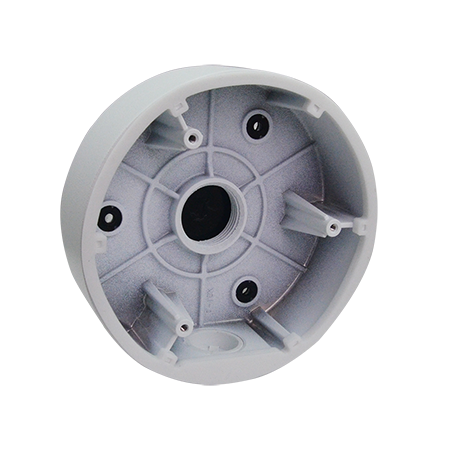
Provide a separate cable junction space behind a surface-mounted turret.
Use one ACTi PMAX-0727 per compatible ACTi Y71 in the mounting setup described here. Confirm the cable entry and suitable fasteners for your surface.
Use it with the supported hard-ceiling surface setup when connections need room.
Already covered if: The mounting surface already provides protected cable space.
Includes a 1-Year ClearVero™ Product Warranty with this camera purchase.
Available
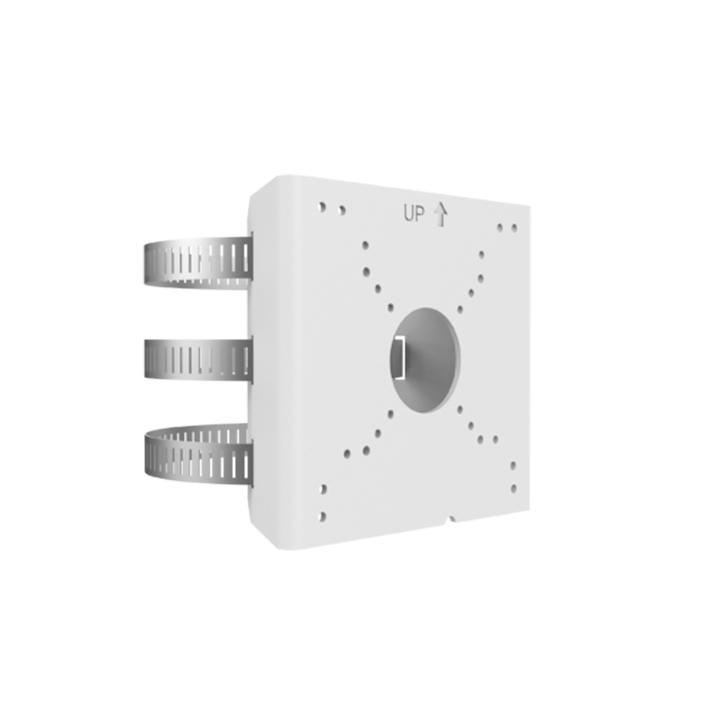
Optional installation accessory
$111.00 USD
Secure the camera assembly to a compatible vertical pole.
For the ACTi Y71, use one PMAX-0538 with one PMAX-0365, sold separately. The pole must be 2.64–5 inches in diameter. Protect connections outdoors.
A compatible pole is the selected mounting surface and you have or will order the PMAX-0365.
Already covered if: Your camera will be attached to a wall, a ceiling or a pole outside the supported diameter range.
Includes a 1-Year ClearVero™ Product Warranty.
Available
READY FOR YOUR INSTALLATION?
Choose the Y71 for a compact Full HD turret on suitable coax. Add a junction box or wall mount only where your installation calls for it.
SKU Y71
Price shown is per camera. Selected add-ons are sold separately.