ACTi YVR-120 hybrid DVR, front view

HYBRID DVR FOR A SMALL COAX AND IP SYSTEM

ACTi YVR-120 6-Channel Hybrid DVR — No HDD

Keep up to four compatible coax cameras and add two IP views, or use up to six IP channels on their own. Play back four channels together to follow an incident from one view to the next.

  • ACTi YVR-120 recorder, USB mouse and power adapter
  • One empty SATA bay · Fits one compatible drive up to 20 TB

Compare ACTi recorders

Black Friday Price · Limited Stock

$344.00 USD $430.00 USD

SKU: YVR-120

Recorder, USB mouse and power adapter included. Cameras, SATA drive, monitor and installation cables are sold separately.

AT A GLANCE

Product Overview

Choose the YVR-120 for a small system where compatible coax can stay in use. Check the channel layout and keep the total recording bitrate within 16 Mbps before selecting a SATA drive.

  • Keep your existing coax runs

    Connect compatible TVI, AHD, CVI or CVBS cameras to the four BNC inputs and keep your existing coax cabling.

  • Choose hybrid or all-IP recording

    Connect up to four analog cameras plus two IP cameras. With no analog cameras connected, the alternative mode supports up to six IP channels.

  • Choose your recording drive

    Install one compatible 2.5-inch or 3.5-inch SATA hard drive, up to 20 TB. This recorder ships with the bay empty.

  • Set recording quality for each view

    Share 16 Mbps of recording bandwidth across your active cameras. Give the busiest view a higher bitrate and use a lower bitrate for a quieter area.

  • Play back four channels together

    Review synchronized footage on your own monitor. HDMI and VGA support display output up to 1080p; the monitor and display cable are separate.

  • Power cameras to suit the site

    The included adapter powers the recorder. Supply each camera separately, using an external PoE source for a compatible PoE camera.

What’s included and what’s sold separately

Keep your coax cameras and add a new view

Keep up to four compatible coax cameras and add up to two IP cameras with the ACTi YVR-120 hybrid DVR. For a fully networked site, use up to six IP cameras with the analog inputs unused. Channel licenses for both layouts are included.

Follow activity from the entrance to the counter

Connect an HDMI or VGA monitor and play back four recorded channels in sync. See someone enter and find the same moment at the counter without lining up the clips by hand. The recorder supports H.264 and H.265, with 16 Mbps of total recording bandwidth.

What’s included

One YVR-120 recorder, a USB mouse and the recorder’s power adapter. The recorder ships with one empty SATA bay. For local recording, install a compatible 2.5- or 3.5-inch drive up to 20 TB. Supply a monitor and display cable for local viewing and power your cameras separately.

Optional cameras and storage — sold separately

  • WD Purple WD43PURZ 4TB Surveillance Hard Drive — Sold separately. Install this 3.5-inch SATA drive in the recorder to store footage locally, or use a compatible drive you already own.
  • ACTi Z812 2MP Outdoor PoE Dome Camera, 4.3x Zoom — Sold separately. Add a fixed outdoor view on one IP channel. Set the optical zoom at installation to frame a doorway or approach; connect the camera over Ethernet and power it with an external PoE source or a suitable 12V DC supply.
  • ACTi Z53 5MP LightGuard Outdoor PoE Turret Camera. Sold separately.

Choose your optional camera and storage.

Choose a channel layout and stay within the 16 Mbps recording budget

Channel layout: Use up to four compatible analog cameras on BNC plus two IP cameras, or leave all BNC inputs unused for up to six IP channels. Both modes include the required channel permissions. For IP video, use compatible ONVIF Profile S cameras with H.264 or H.265 streams; audio, events and controls depend on the camera model, firmware and configuration.

Recording bitrate: Add the bitrates of the streams you will record at the same time. For example, four streams at 2 Mbps plus two at 3 Mbps total 14 Mbps, within the 16 Mbps recording limit. The separate 48 Mbps outgoing limit applies to video sent from the recorder.

Connect a test camera and check recorded playback

  • Give it room indoors. Place the 260 × 47 × 226 mm recorder (W × H × D) in a protected, ventilated spot with cable clearance. The operating range is 14°F to 131°F (−10°C to 55°C), at 10–90% non-condensing humidity.
  • Install the drive. Disconnect power before fitting a compatible SATA hard drive or working on connections. Follow the supplied operating and safety instructions; installation labor is not included.
  • Connect and power the cameras. Use the BNC inputs for compatible coax cameras or the Ethernet network for IP cameras. Supply camera power separately, including an external PoE source where applicable.
  • Set up viewing and recording. Connect your HDMI or VGA monitor and cable, then use the included USB mouse and DVR power adapter. Set stream bitrates and recording schedules, use strong credentials and restrict network access. Remote web viewing uses a compatible Windows PC, browser plug-in and recorder firmware.

Record a short test clip and check playback before connecting the rest of your cameras.

Identify the rear-panel connections

The numbers in the photo identify 1 four BNC camera inputs, 2 RCA audio input/output, 3 VGA, 4 HDMI, 5 10/100 Ethernet, 6 two USB 2.0 ports and 7 the 12 V DC power input.

Ethernet connects the DVR to your network; it does not supply PoE to cameras. RCA audio works with suitable external line-level audio equipment, sold separately.

YVR-120 rear panel: four BNC inputs, RCA audio, VGA, HDMI, Ethernet, two USB ports and DC 12 V power
Rear-panel connections 1–7 are keyed above. Camera power, cabling, external audio equipment and the monitor are separate from the recorder.

Size the SATA drive for your recording schedule

Use a compatible SATA drive you already own or select the optional WD Purple WD43PURZ 4 TB on this page. The recorder has one 2.5- or 3.5-inch bay, rated for one drive up to 20 TB. The optional drive is sold separately and requires installation.

Choose capacity around your recording schedule and the combined bitrate of your cameras. At the same camera settings, doubling usable storage approximately doubles the video history you can keep.

ACTi YVR-120 technical specifications

View all specifications
This offer includes the recorder, USB mouse and power adapter. Storage capacity below refers to one compatible drive installed separately.
Camera modesUp to 4 analog + 2 IP, or up to 6 IP channels with no analog cameras connected
Analog inputs4 BNC; TVI, AHD, CVI and CVBS
CompressionH.265 and H.264
TVI / AHD / CVI frame rates5 MP at 20 fps; 4 MP and 1080p at 30 fps; 720p at 60 fps
Recording and outgoing bitrate16 Mbps maximum recording across all channels; 48 Mbps maximum outgoing
Playback4-channel synchronized playback
Channel licensesIncluded for the stated 4 analog + 2 IP or 6 IP-only modes; no additional channel license required
Installed storageEmpty drive bay; no hard drive included
Drive compatibilityOne compatible 2.5-inch or 3.5-inch SATA hard drive, up to 20 TB
Network1 RJ-45 10/100 Base-T port; no integrated PoE camera ports
Local display outputs1 HDMI and 1 VGA; up to 1920 × 1080
USB2 USB 2.0 ports
AudioTwo-way line-in/line-out; RCA input/output; G.711 u-law
IP integrationONVIF Profile S with compatible cameras; audio, events and controls depend on camera model, firmware and configuration
PowerDC 12 V; 40 W power supply; power adapter included
Included accessoriesUSB mouse and power adapter
Size / weight260 × 47 × 226 mm (W × H × D); 1,100 g
EnvironmentIndoor; 14°F–131°F (-10°C–55°C); 10–90% RH, non-condensing; fanless
Remote accessWeb client on a Windows PC with a compatible browser plug-in and recorder firmware
EventsMotion, IP conflict, network loss and storage alerts; sound, email and pop-up responses depend on the device and configuration

YVR-120 questions and answers

Is a hard drive included?

The SATA bay ships empty. Install a compatible drive you own or choose the WD Purple 4 TB option, sold separately.

How many cameras can I connect?

Connect up to four compatible analog cameras plus two IP cameras, or up to six IP cameras in an all-IP setup. The total recording bandwidth is 16 Mbps.

How do I power the cameras?

Use a separate power supply for each camera or an external PoE source for compatible IP cameras. The included adapter powers the recorder.

Which IP cameras can I use?

Use compatible ONVIF Profile S cameras streaming H.264 or H.265 video. Audio, events and camera controls depend on the camera model, firmware and setup.

How do I connect the optional Z812 outdoor camera?

Connect it to your network and use one IP channel on the YVR-120. Power the camera with an external PoE switch, injector or a suitable 12V DC supply. Camera sold separately.

How can I view my cameras?

Connect a monitor by HDMI or VGA for local viewing. For remote web viewing, use a Windows PC with a browser plug-in supported by the recorder firmware.

How much video fits on a 4TB drive?

At a combined 8 Mbps, a 4TB drive holds about 46 days of continuous video before formatting and recorder overhead. Higher bitrates use that space faster.

Do I need a cloud plan or extra channel licenses?

No. Both supported camera layouts include the channel licenses for local recording to your installed SATA drive.

What comes in the box?

One YVR-120 recorder, a USB mouse and the recorder’s power adapter. The camera, drive, monitor and installation cables are sold separately.

What does the recorder warranty cover?

The 2-Year ClearVero™ Product Warranty covers eligible defects under normal use. Email info@clearvero.com with your order and serial number.

When will my recorder arrive?

Eligible U.S. orders ship free by standard shipping. Allow 1–3 business days for processing, then an estimated delivery window of up to 7 business days.

How do I request a return?

Email info@clearvero.com within 30 calendar days of delivery and wait for authorization before shipping. For a change-of-mind return, you pay return shipping.

Choose the recorder that fits your cameras

Choose hybrid mode to keep your coax cameras and add IP video, or use IP-only mode for a network camera system. Each recorder has one SATA bay for a separately installed drive.

Hybrid and IP-only camera modes are alternatives. Recording settings must fit the total bandwidth budget.
Your setupACTi YVR-120ACTi YVR-121
Hybrid mode4 analog + 2 IP cameras8 analog + 4 IP cameras
IP-only modeUp to 6 IP cameras, analog unusedUp to 8 IP cameras, analog unused
Recording bandwidth16 Mbps total32 Mbps total
Recorder only$344.00 USD$435.00 USD

Each optional Z53 or Z812 camera uses one IP channel in either layout. Supply camera power separately and allocate its stream within the recorder’s total bandwidth.

Optional camera and storage

Complete your recording setup

Choose a drive for local recording and cameras for the views you need. Each item is sold separately.

Choose the Z53 for a wide fixed turret view, the Z812 for optical zoom, or the Z331 for a fixed 4 MP bullet camera. Set each camera quantity separately and keep the combined streams within the recorder’s IP channel and bandwidth limits.

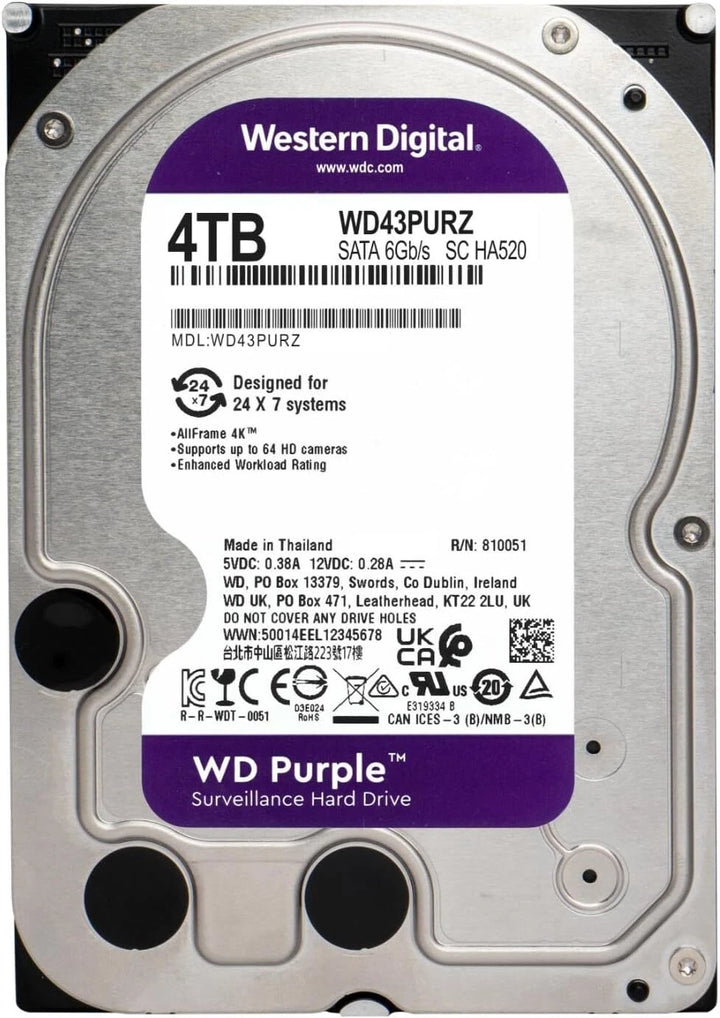
WD Purple WD43PURZ 4TB internal SATA surveillance hard drive, label view

Optional recording storage

WD Purple WD43PURZ 4TB Surveillance Hard Drive

$299.00 USD

Store recordings locally for playback. Install this 3.5-inch SATA drive in the recorder’s single bay, or use your own compatible drive.

Sold separately.

Available

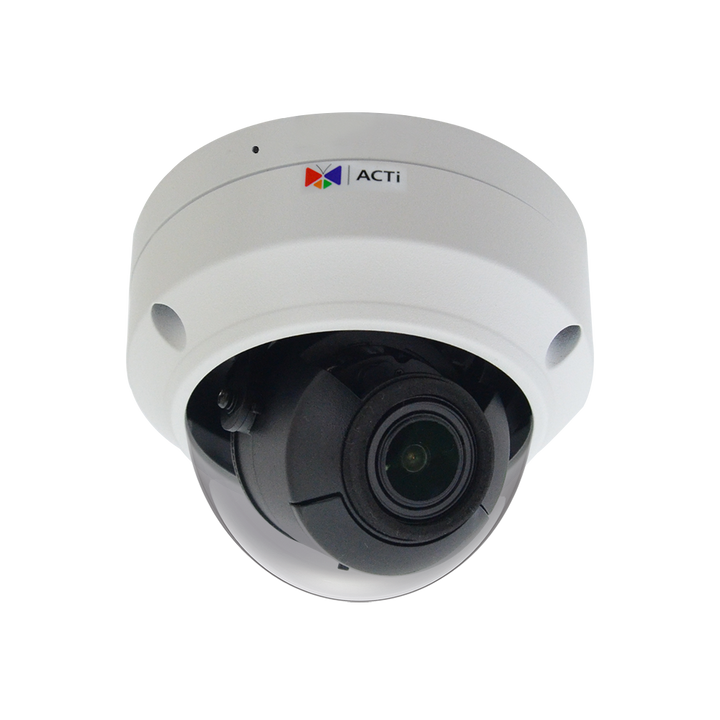
ACTi Z812 white outdoor dome camera with its original ACTi branding and integrated zoom lens

Optional IP camera

ACTi Z812 2MP Outdoor PoE Dome Camera, 4.3x Zoom

$636.00 USD

Frame a doorway or driveway with 4.3x optical zoom at installation. The camera uses one IP channel on this recorder.

Connect it over Ethernet and supply IEEE 802.3af PoE or 12V DC separately. Video uses a compatible ONVIF stream; audio and events depend on firmware and settings.

Sold separately.

Available

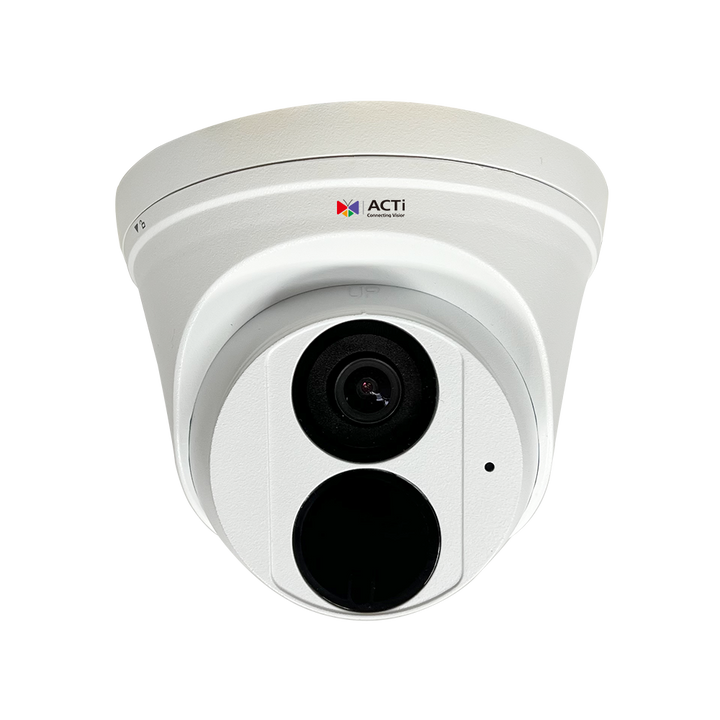
White ACTi Z53 5MP fixed turret camera with its 2.8mm lens and infrared window

Optional IP camera

ACTi Z53 5MP LightGuard Outdoor PoE Turret Camera

$448.00 USD

Cover an entrance and its approach with a fixed 110° horizontal view and 5MP detail. Each Z53 uses one IP recording channel.

Use an ONVIF Profile S / H.264 video stream over Ethernet. Supply IEEE 802.3af PoE or suitable 12V DC power separately. Allocate the configured stream within the recorder’s channel and bandwidth limits; audio, events and analytics depend on firmware and settings.

Sold separately.

Available

ACTi Z331 white outdoor bullet camera with fixed 2.8mm lens and integrated mounting bracket

Optional IP camera

ACTi Z331 4MP ColorGuard Outdoor PoE Bullet Camera

$320.00 USD

Add a fixed 4 MP outdoor bullet camera for an entrance or approach. Each camera uses one IP channel.

Use an ONVIF Profile S / H.264 video stream over Ethernet. Power the camera separately with an IEEE 802.3af PoE switch or injector, or a suitable 12V DC supply. Confirm audio, events and analytics with your firmware and settings.

Sold separately.

Available

Selected configuration value: $344.00 USD. Items already in your cart are retained; review the cart total before checkout.

Keep your coax and add IP coverage

ACTi YVR-120 6-Channel Hybrid DVR — No HDD

$344.00 USD
Choose recorder quantity
  • ACTi Product Specialist
  • 2-Year ClearVero™ Product Warranty
  • 30-Day Money-Back Guarantee
ACTi YVR-120 recorder, supplied without a hard drive